Designing UNTIL's Guest System from Zero. Reducing Check-In Time by 60 sec
Evolving the Products Brand & Design System at an Early-Stage Startup
Background
UNTIL is a premium flexible workspace for health and wellness professionals. Personal trainers, physios, and therapists use it to run their independent practice, accessing gyms, treatment rooms, and consulting spaces on a flexible basis, without the overhead of owning a clinic.
Understanding the problem
One fundamental gap existed: no guest check-in process at all. Every arrival was handled manually, creating friction for members, confusion for staff, and a blind spot in operational data.
Goals
Design a seamless guest check-in system for members, guests, and admin staff that reduces manual intervention and gives staff real-time oversight.
Role
Sole Product Designer
Timeline
4 Weeks
Team
1 Designer, 2 Engineers, 1 Product Owner
SaaS Platform
App Design
B2B Platform
Web Design
Mapping the system Before designing the screens
With no existing process to reference, I mapped the complete user flow from scratch before any screen design began. A guest check-in system involves branching states, edge cases, and three distinct user types interacting with the same underlying data. Getting this wrong at the flow stage would have been expensive to fix in high-fidelity.
Members initiate guest details
When members enter their clients’ details, we can pre-fill them ahead of arrival, reducing reliance on the front desk on the day.
Admin staff time saved
Admin staff have a separate dashboard view with real-time check-in status and the ability to override or manually add guests.
Guest self check-in
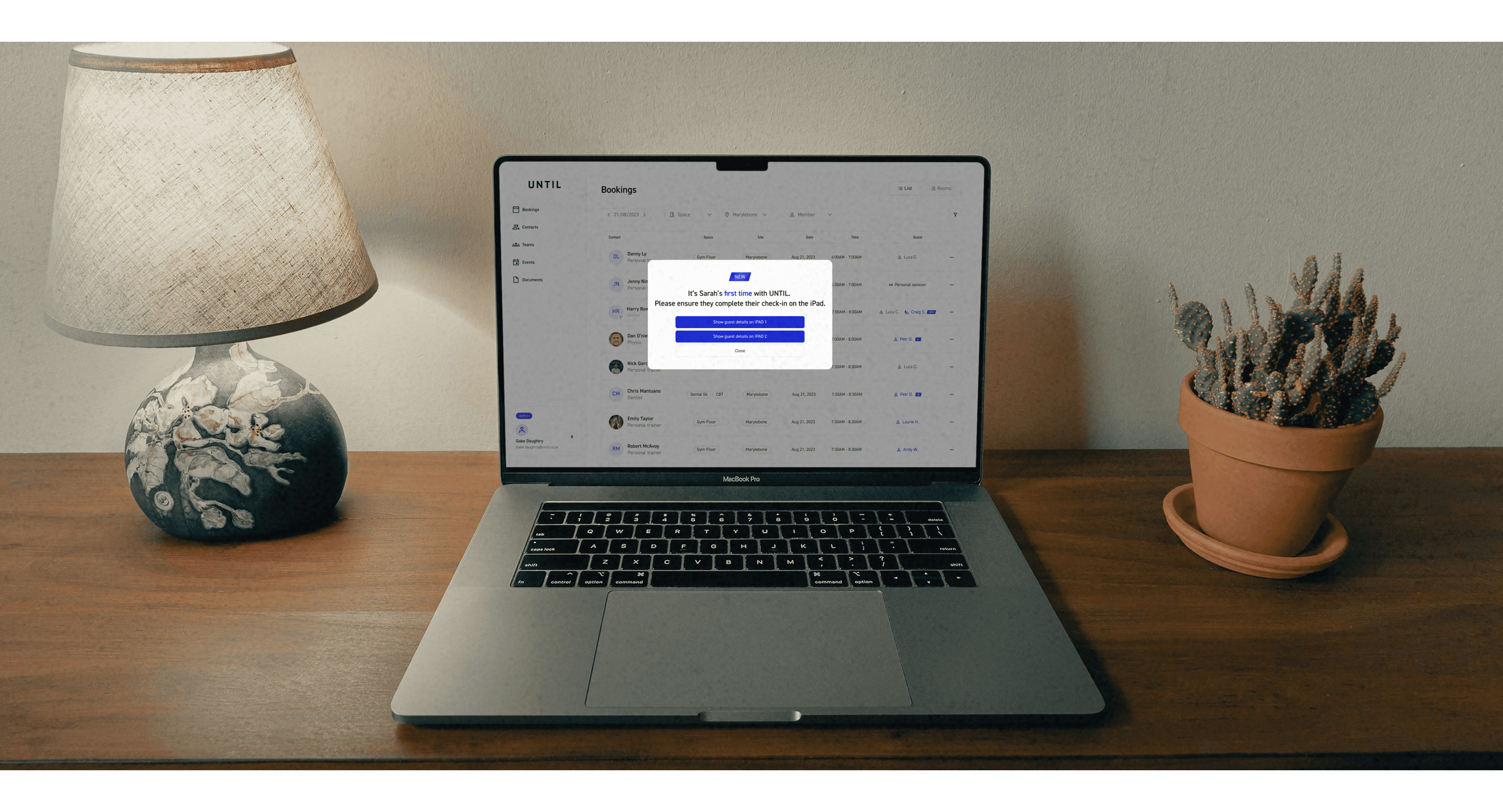
Guests check in independently via an iPad kiosk on arrival, where their details—pre-filled by the member during booking—are automatically displayed for a quick and seamless check-in experience.
Edge case handling
Unrecognised guests, and capacity limits are all handled with clear system messaging at each surface.
Mapping the system Before designing the screens
With no existing process to reference, I mapped the complete user flow from scratch before any screen design began. A guest check-in system involves branching states, edge cases, and three distinct user types interacting with the same underlying data. Getting this wrong at the flow stage would have been expensive to fix in high-fidelity.
Members initiate guest details
When members enter their clients’ details, we can pre-fill them ahead of arrival, reducing reliance on the front desk on the day.
Admin staff time saved
Admin staff have a separate dashboard view with real-time check-in status and the ability to override or manually add guests.
Guest self check-in
Guests check in independently via an iPad kiosk on arrival, where their details—pre-filled by the member during booking—are automatically displayed for a quick and seamless check-in experience.
Edge case handling
Unrecognised guests, and capacity limits are all handled with clear system messaging at each surface.


Designing for three surfaces, one system
The check-in system was designed across three distinct surfaces, each serving a different user with a different need.

Member App: Pre-Filling Guest Details for Faster Check-In
Members enter guest details when booking in the member app, allowing us to store them for future visits. At check-in, details are pre-filled on the iPad for guests to quickly verify and confirm.
Admin dashboard: Real-time oversight and control
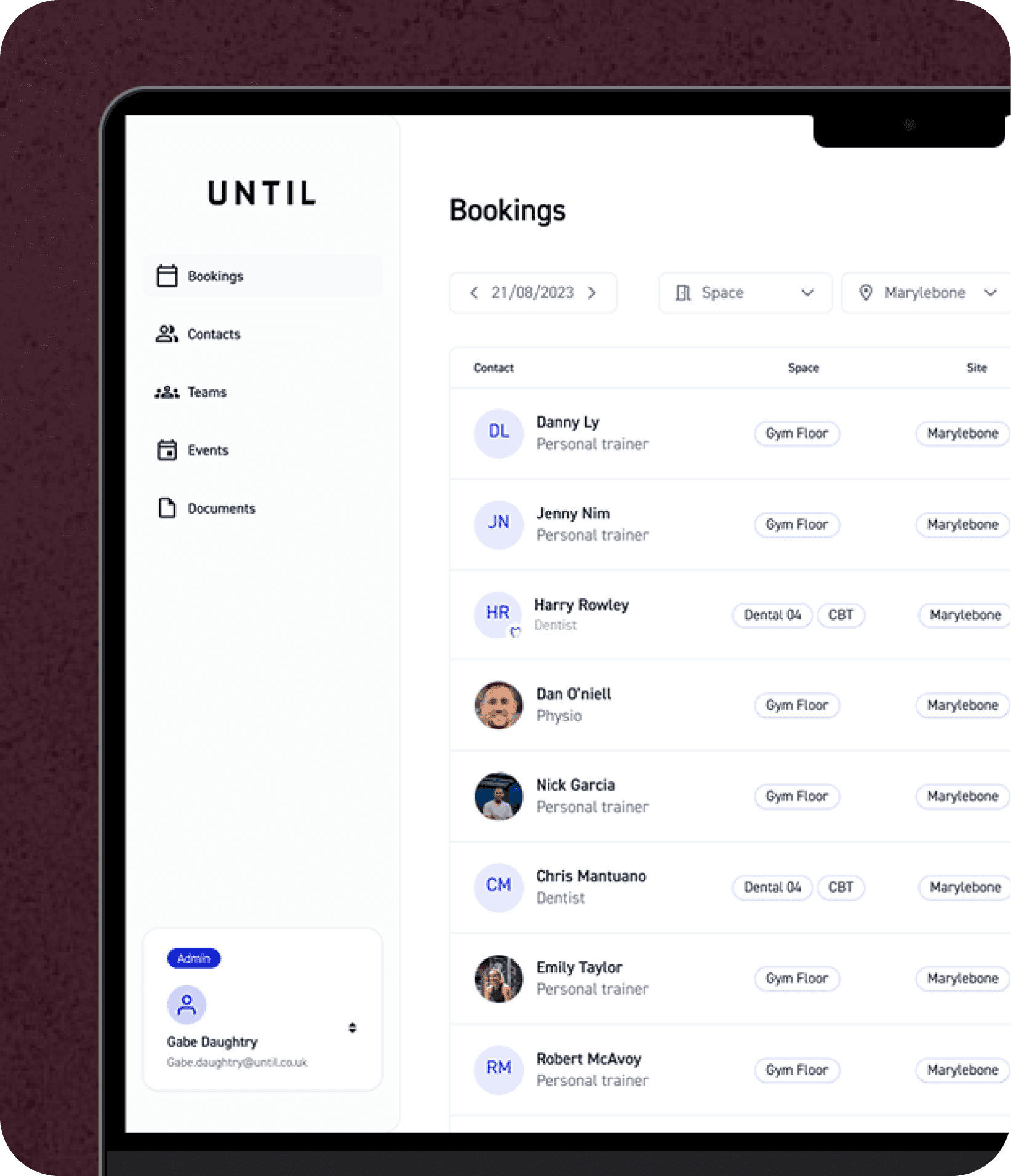
Staff get a live view of who is checked in, expected, and unaccounted for, with the ability to manually add or remove guests. Guest and member data are separated to reduce confusion and improve clarity for front desk.

Guest iPad kiosk: The venue arrival experience
The kiosk is 3 steps: welcome, enter details, and checked in. Designed to feel premium & fully self-serve, with full-bleed screens and minimal copy. Edge case has a clear recovery path so guests are never left confused.
Member App: Pre-Filling Guest Details for Faster Check-In
Members enter guest details when booking in the member app, allowing us to store them for future visits. At check-in, details are pre-filled on the iPad for guests to quickly verify and confirm.
Admin dashboard: Real-time oversight and control
Staff get a live view of who is checked in, expected, and unaccounted for, with the ability to manually add or remove guests. Guest and member data are separated to reduce confusion and improve clarity for front desk.
Guest iPad kiosk: The venue arrival experience
The kiosk is 3 steps: welcome, enter details, and checked in. Designed to feel premium & fully self-serve, with full-bleed screens and minimal copy. Edge case has a clear recovery path so guests are never left confused.
Results
Beyond the metrics, the most significant outcome was qualitative: front desk staff reported that guest arrivals stopped being a source of daily friction. Members felt more confident bringing guests knowing the process was handled. And for guests, the kiosk experience set a tone for the venue that aligned with UNTIL's premium positioning.
Guest check-in time
Reduced by 30–60 seconds per arrival
Admin staff time saved
Saved Up to 60 minutes per day previously spent on manual guest management
NPS improvement
Increased by 10–20 points among members who used guest passes
Guest-to-member conversion tracking
Prior to launch, no guest visit data existed at all. The system created the first structured record of guest visits — giving the business visibility over frequency, return visits, and conversion patterns for the first time.
Results
Beyond the metrics, the most significant outcome was qualitative: front desk staff reported that guest arrivals stopped being a source of daily friction. Members felt more confident bringing guests knowing the process was handled. And for guests, the kiosk experience set a tone for the venue that aligned with UNTIL's premium positioning.
Guest check-in time
Reduced by 30–60 seconds per arrival
Admin staff time saved
Saved Up to 60 minutes per day previously spent on manual guest management
NPS improvement
Increased by 10–20 points among members who used guest passes
Guest-to-member conversion tracking
Prior to launch, no guest visit data existed at all. The system created the first structured record of guest visits — giving the business visibility over frequency, return visits, and conversion patterns for the first time.


Final Thoughts
Designing from zero is a different discipline than redesigning
There was no existing system to audit, no heatmap data to reference, and no prior user complaints to respond to. The challenge was identifying what the system needed to do before working out how it should look. The user flow mapping phase was more valuable here than in any project I'd worked on before.
Three user types means three definitions of success.
A member considers the check-in system successful if their guest arrives without incident. A guest considers it successful if they don't feel lost or embarrassed. Admin staff consider it successful if their morning isn't derailed by manual interventions. Designing for all three simultaneously without any one experience degrading another was the central design challenge of the project.
Edge cases aren't edge cases when there's no baseline.
Because this system was being built from scratch, every unusual scenario had to be explicitly designed for from the start. There was no existing behaviour to fall back on. This forced a rigour around error states and recovery flows that I now apply to every project regardless of whether an existing system exists.
Final Thoughts
Designing from zero is a different discipline than redesigning
There was no existing system to audit, no heatmap data to reference, and no prior user complaints to respond to. The challenge was identifying what the system needed to do before working out how it should look. The user flow mapping phase was more valuable here than in any project I'd worked on before.
Three user types means three definitions of success.
A member considers the check-in system successful if their guest arrives without incident. A guest considers it successful if they don't feel lost or embarrassed. Admin staff consider it successful if their morning isn't derailed by manual interventions. Designing for all three simultaneously without any one experience degrading another was the central design challenge of the project.
Edge cases aren't edge cases when there's no baseline.
Because this system was being built from scratch, every unusual scenario had to be explicitly designed for from the start. There was no existing behaviour to fall back on. This forced a rigour around error states and recovery flows that I now apply to every project regardless of whether an existing system exists.
@2026 Command+Z is my best friend.